Freenove Projects Kit (Compatible with Arduino UNO R3), 238-Page Detailed Tutorial, 49 Projects, No Soldering, Simple Wiring
Purchase Options:
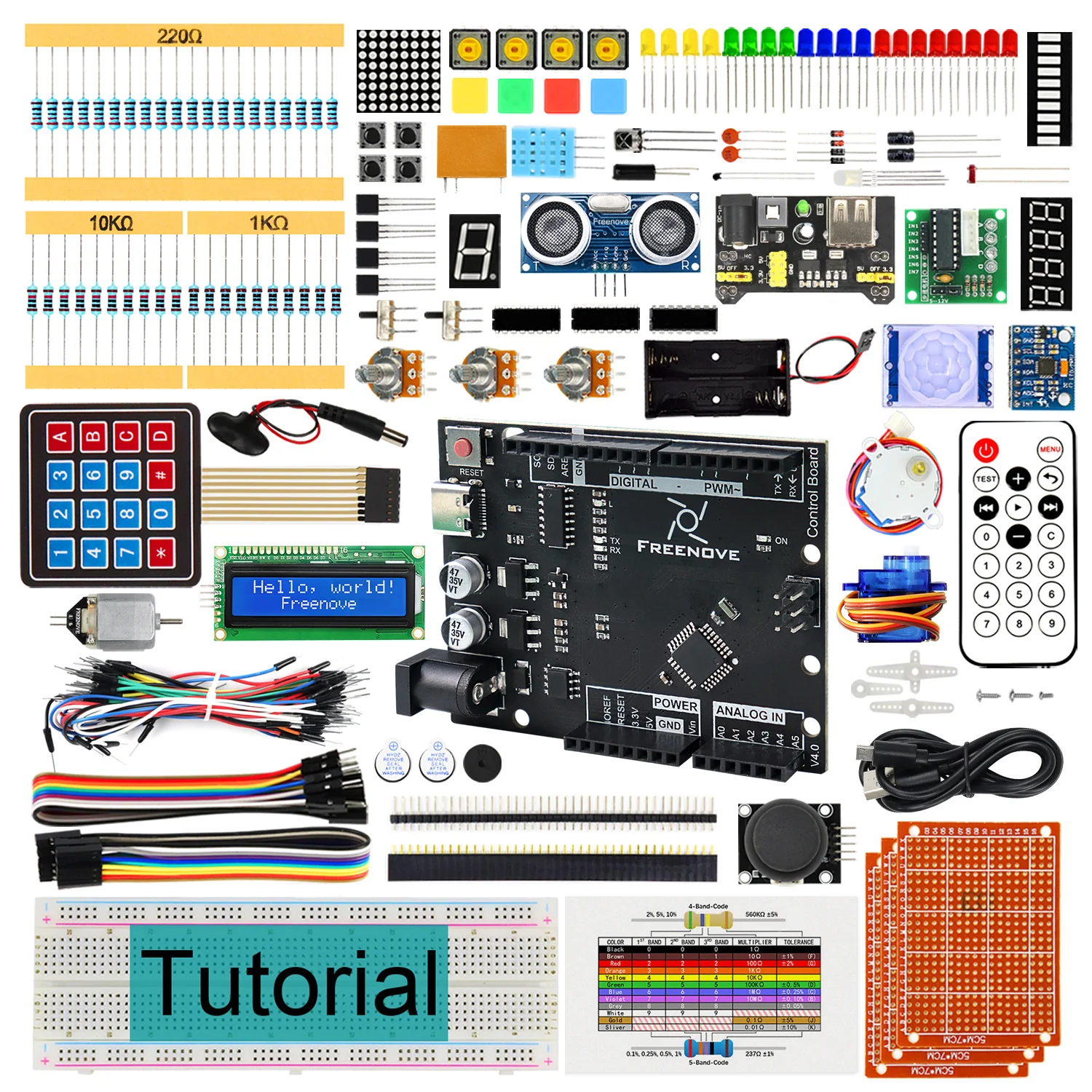
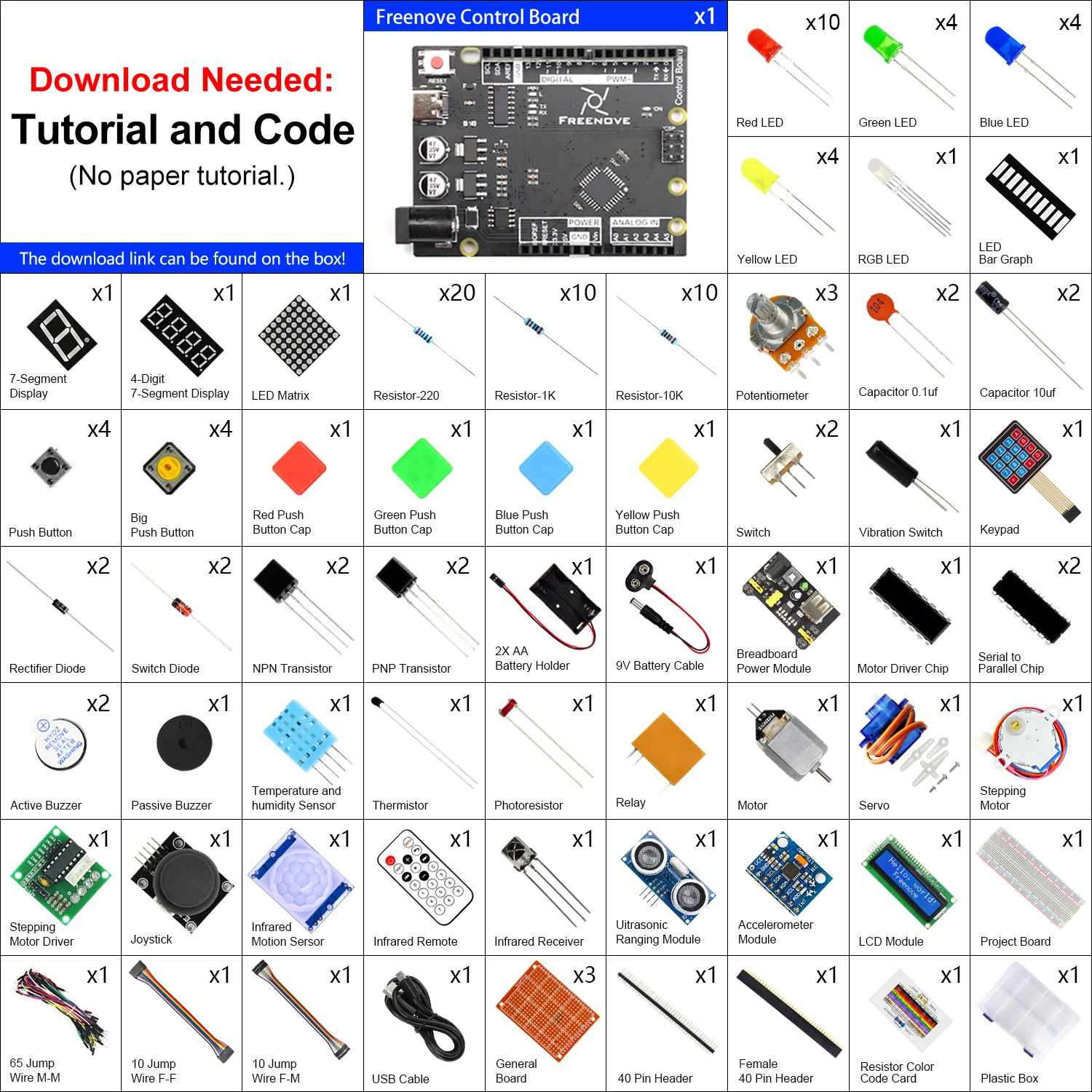
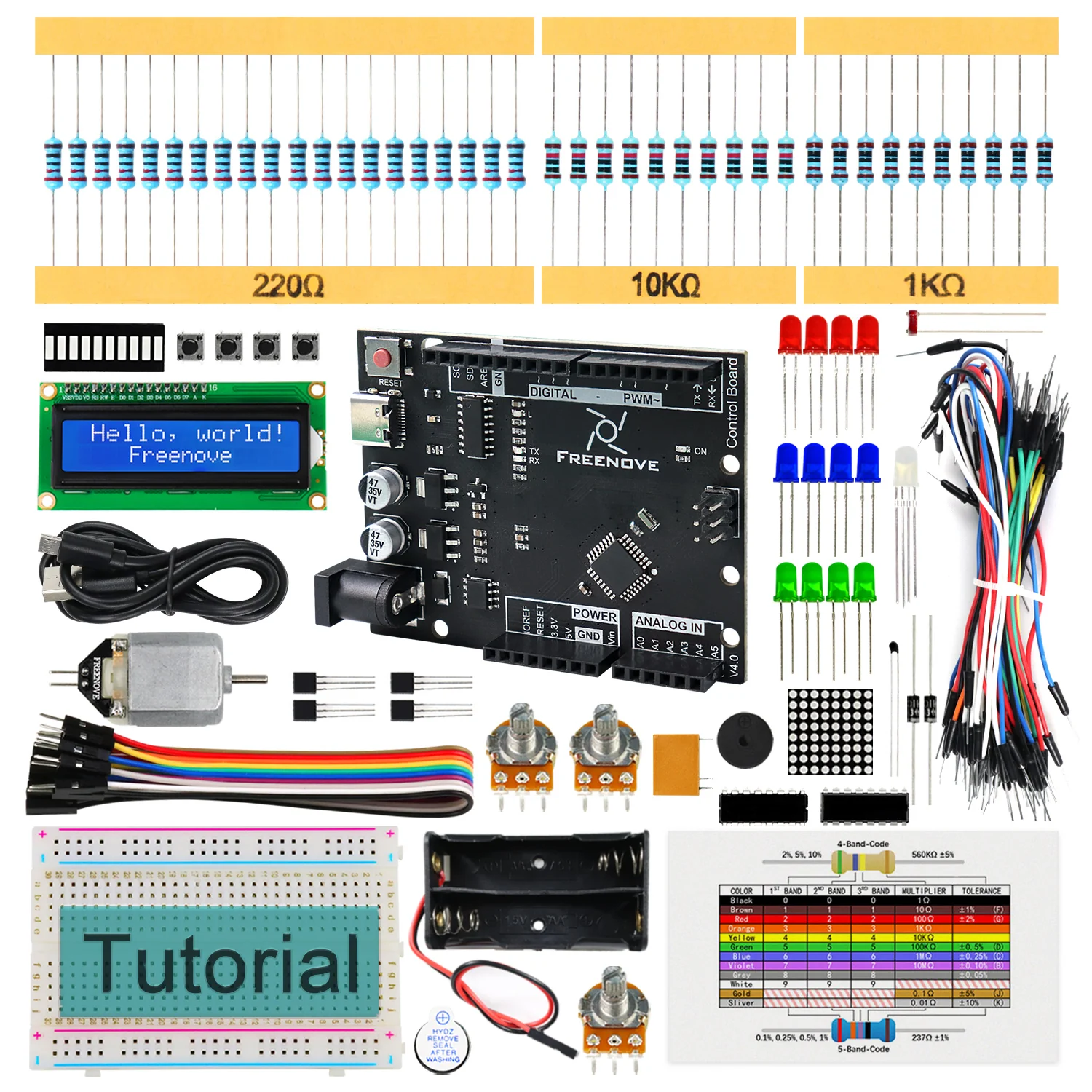
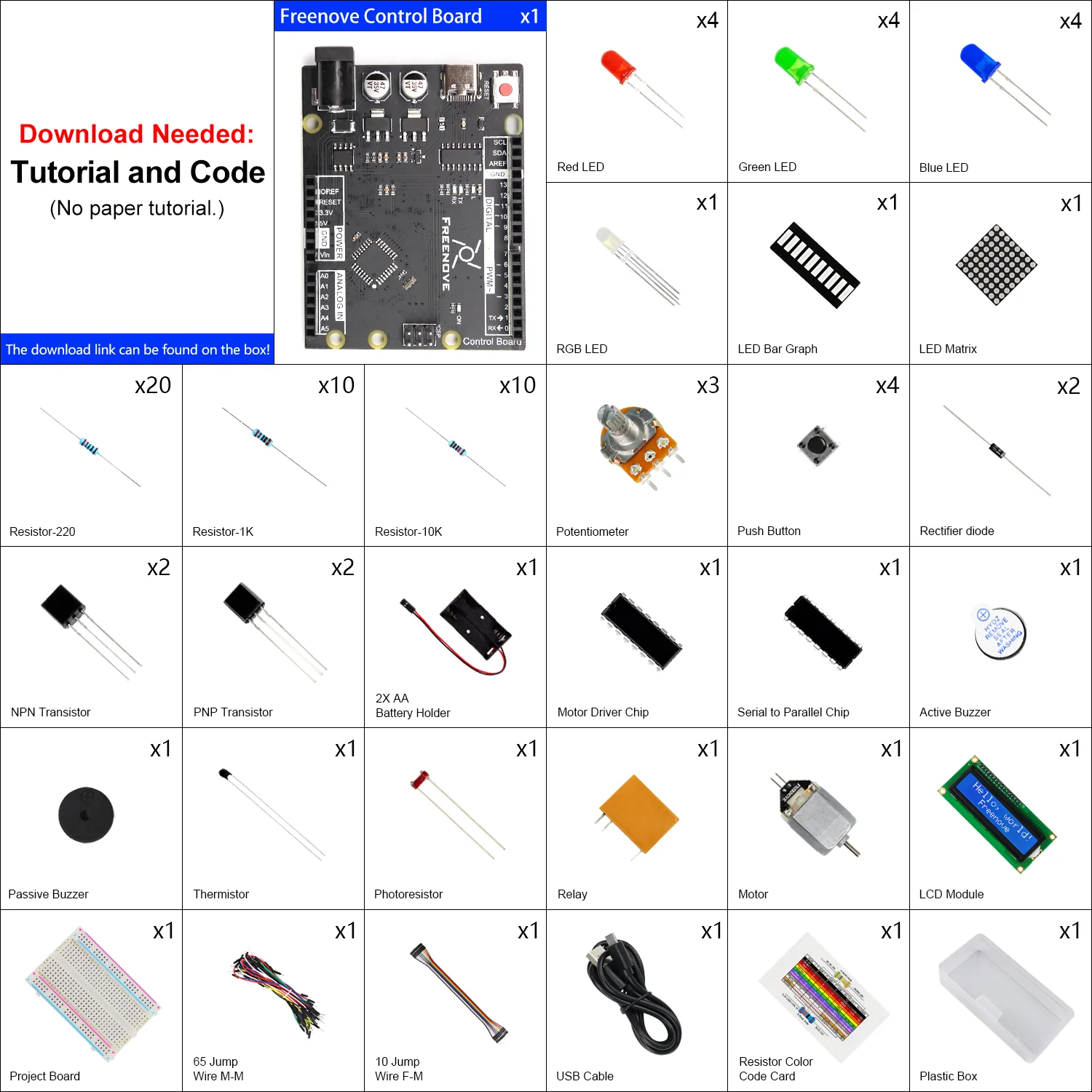
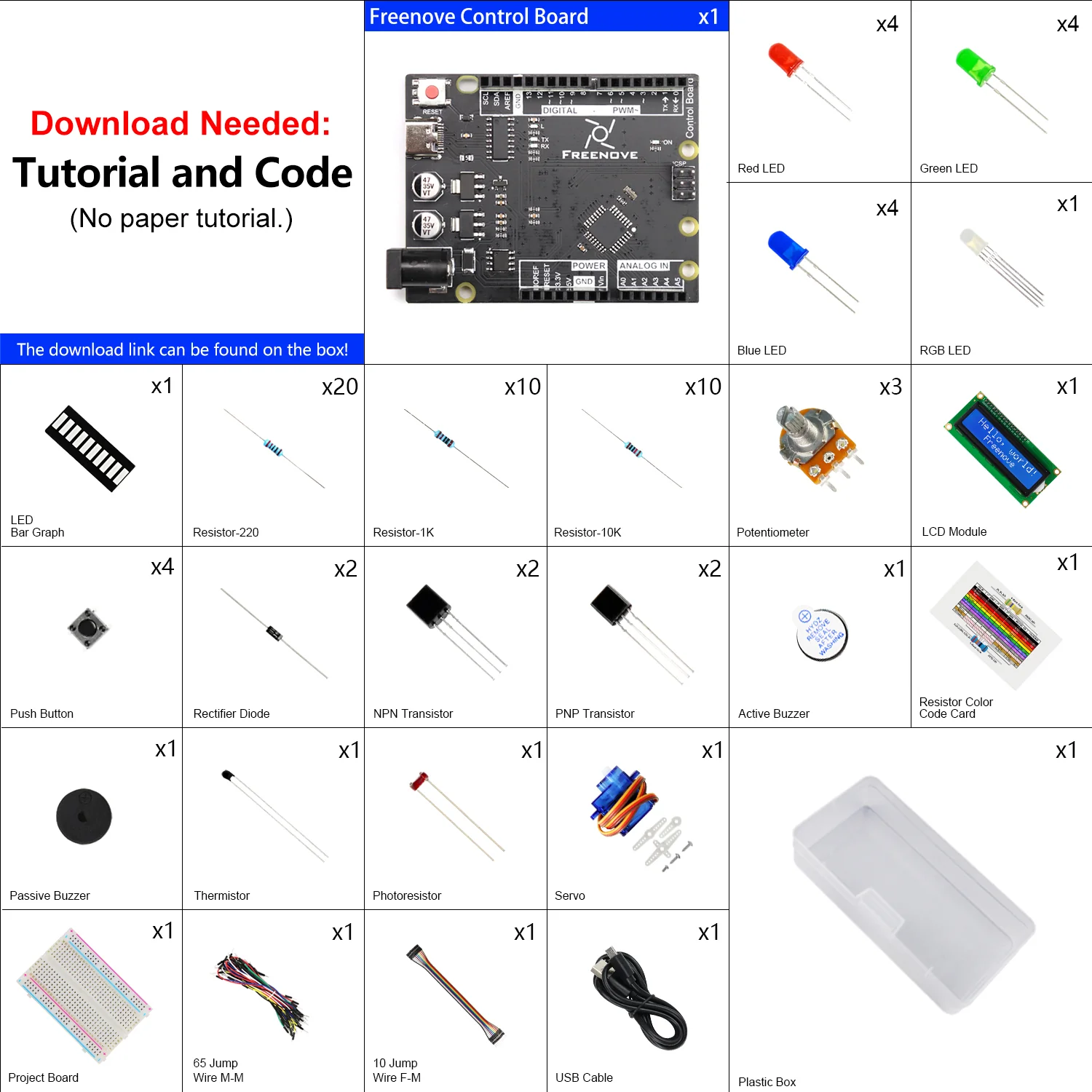
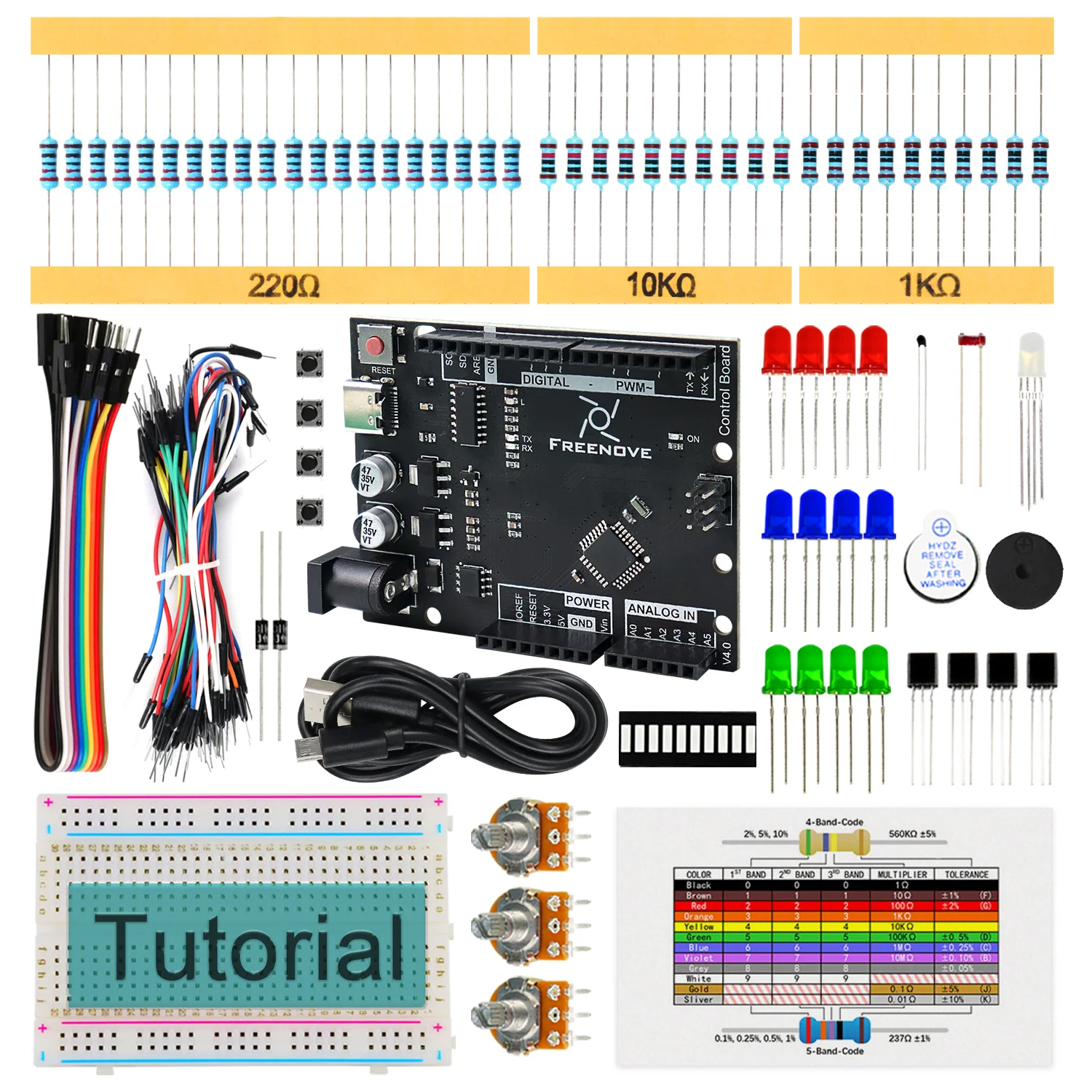
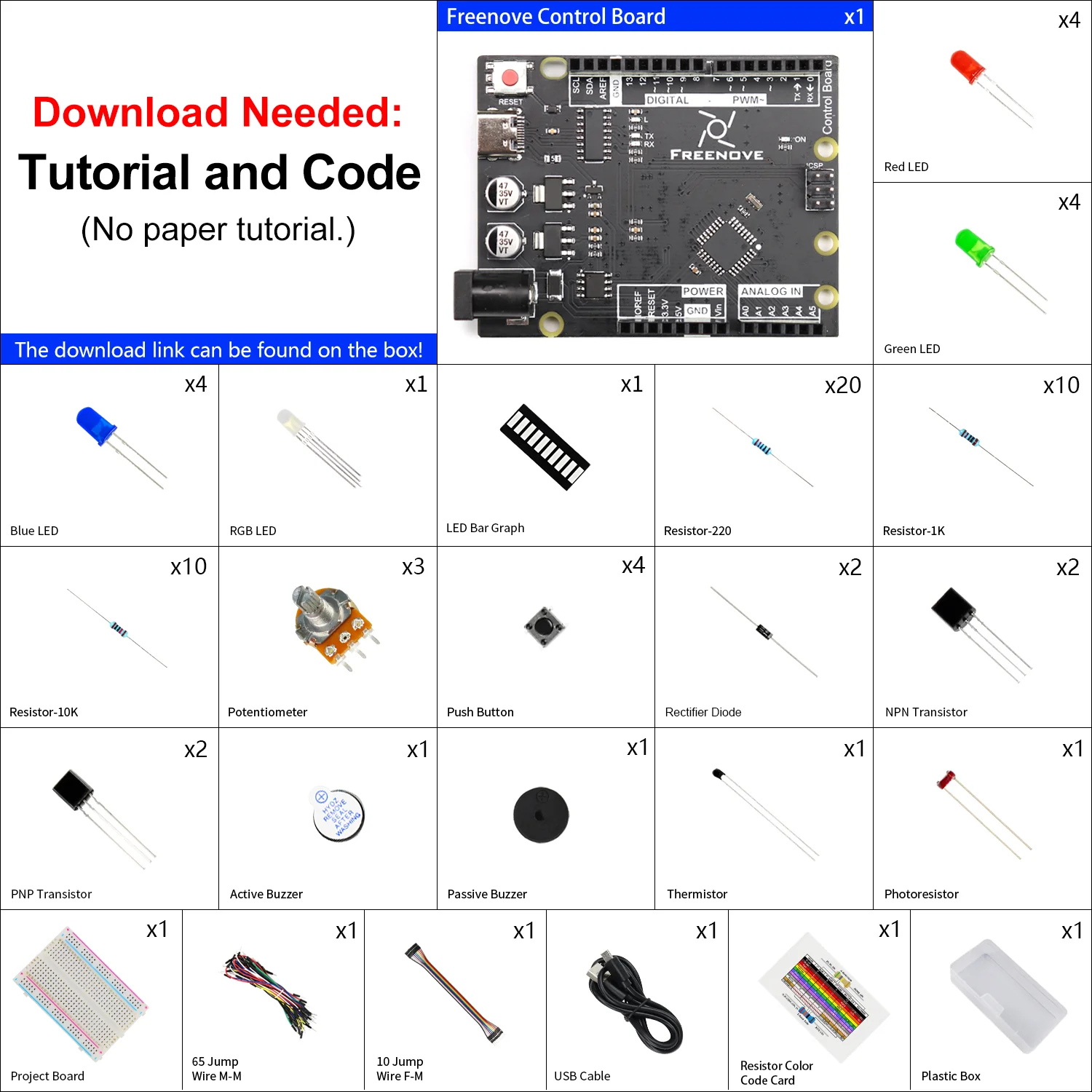
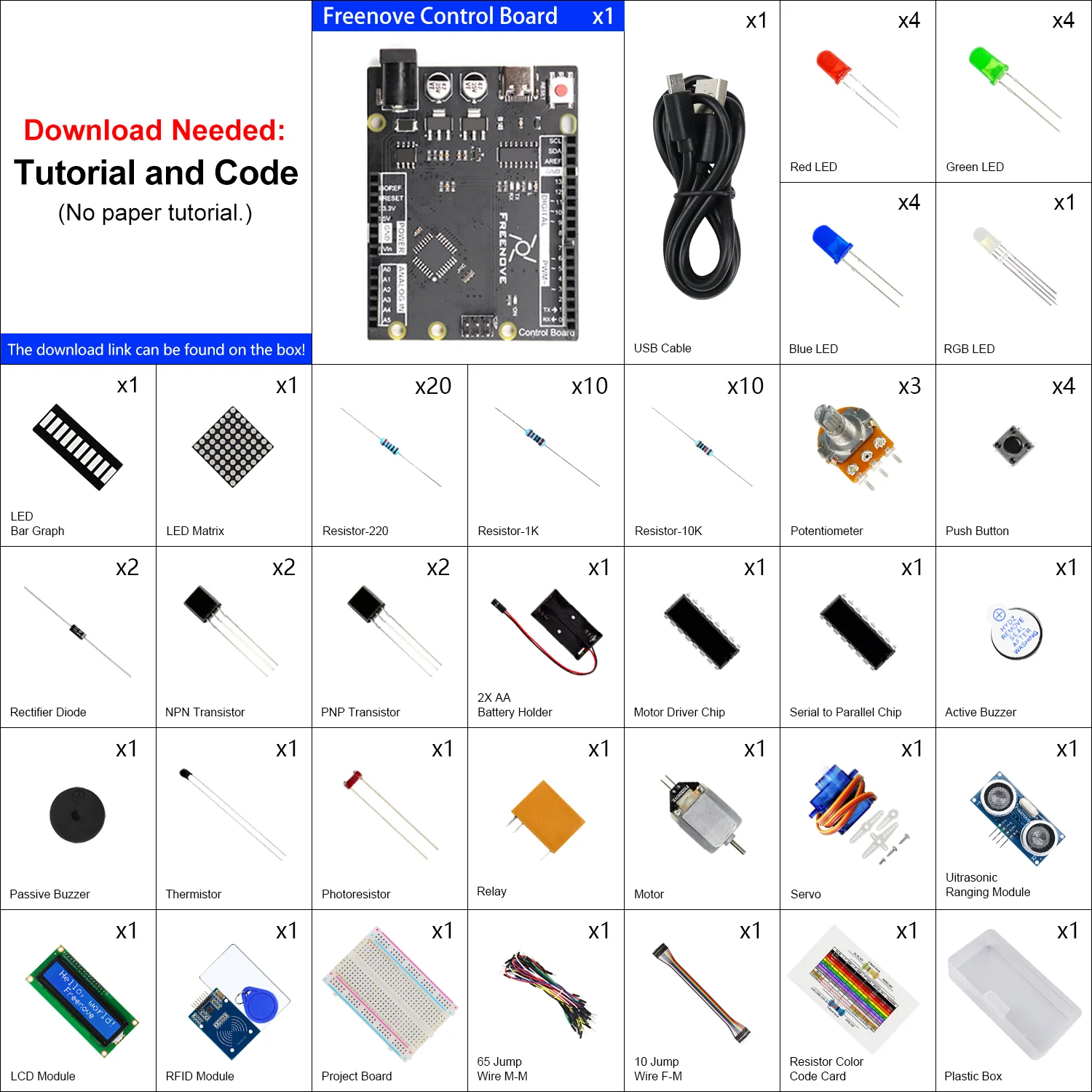
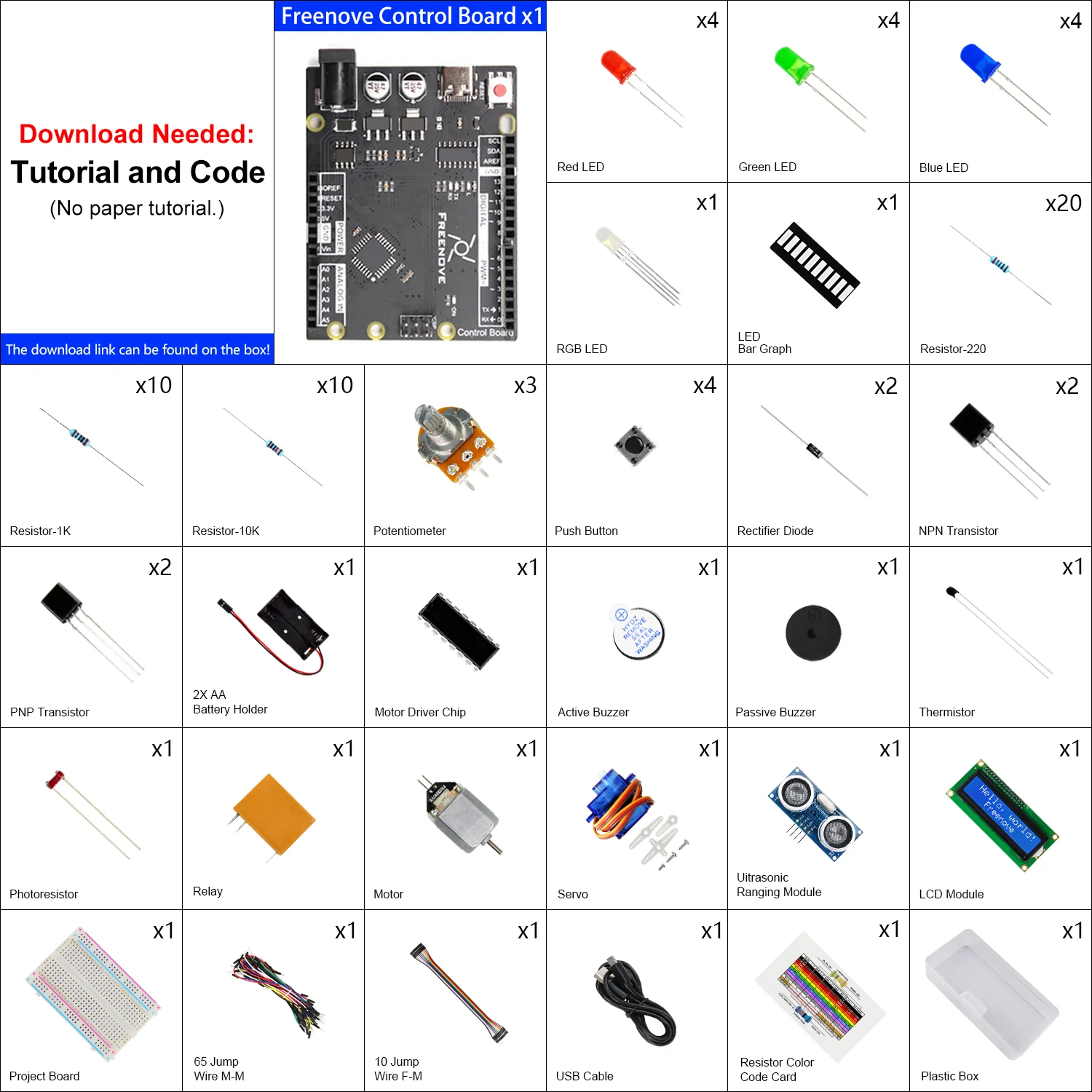
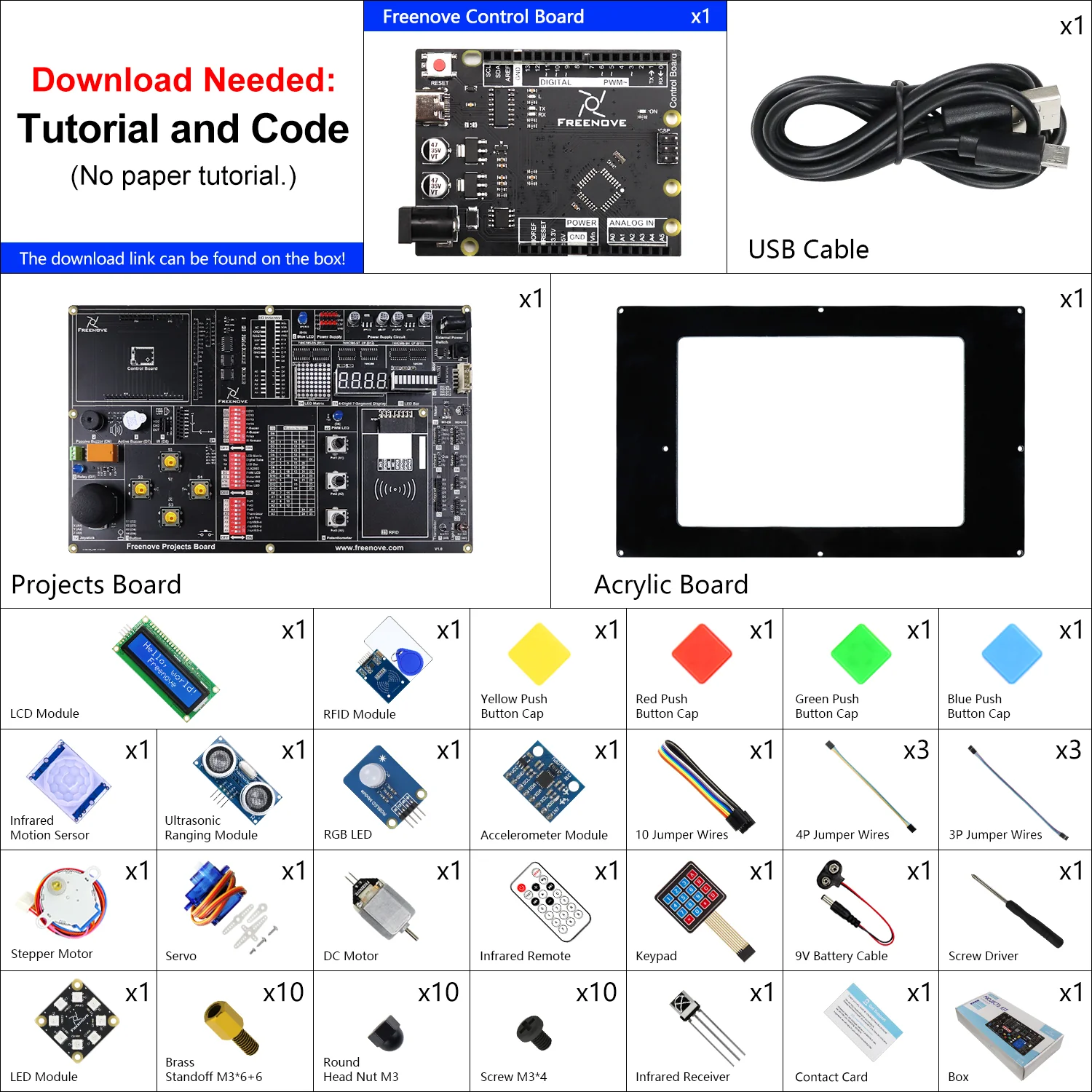
This kit has two purchase options.
One option includes the control board, the other option does not include it.
Compatible Boards:
If you choose the option without control board, you need to prepare one of following boards yourself:
* Arduino UNO R3 / R4 or similar boards
* Freenove Board V4 / V5
Overview:
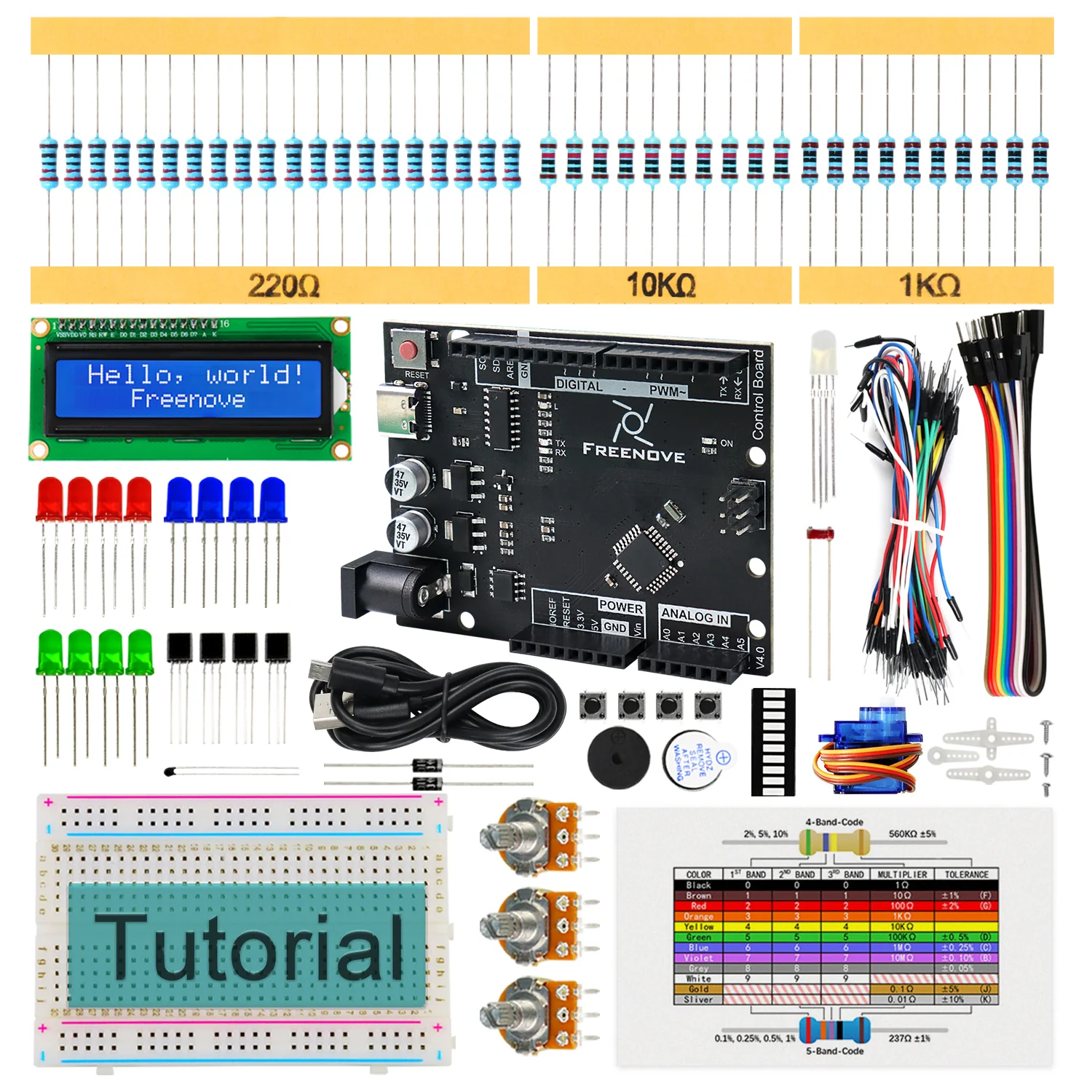
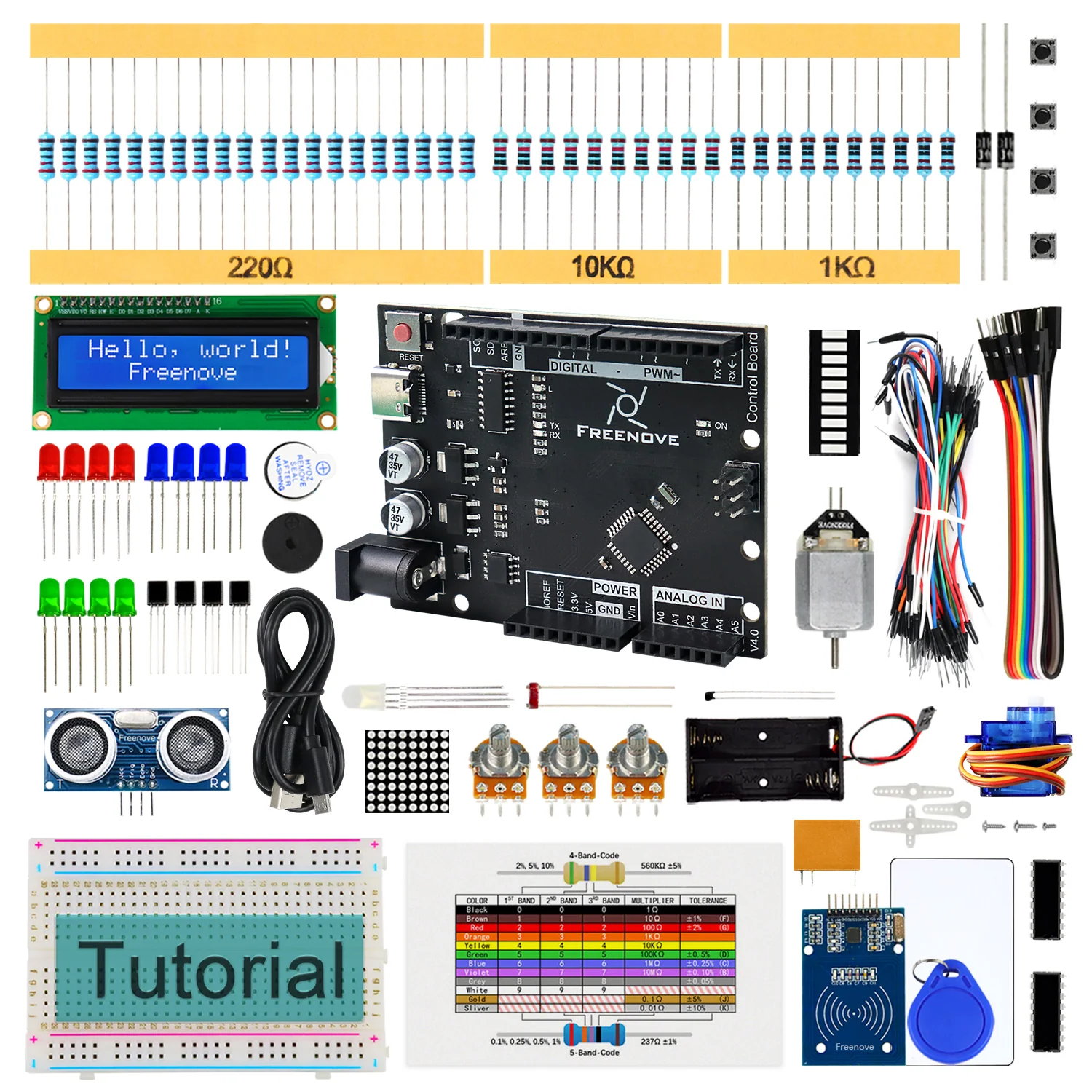
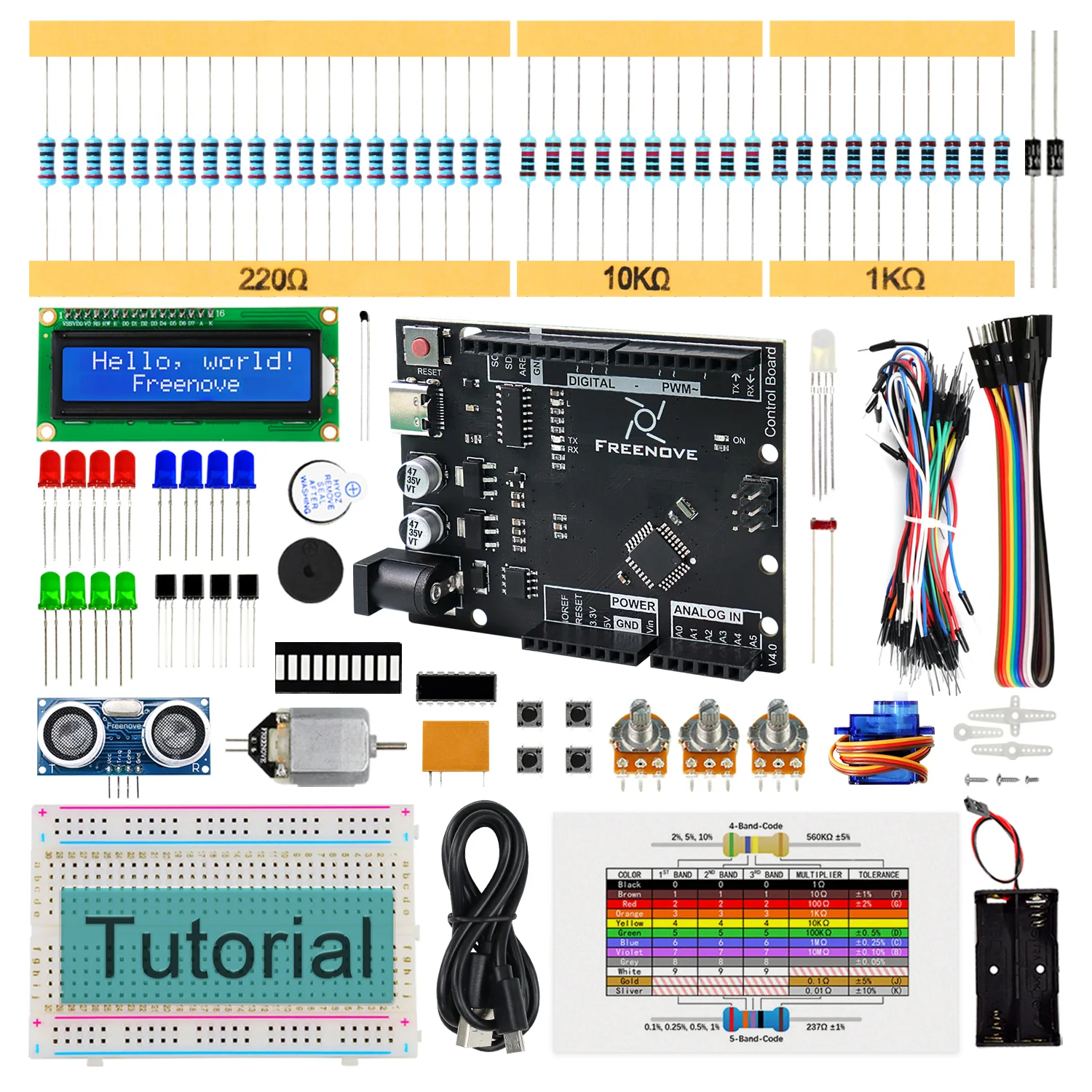
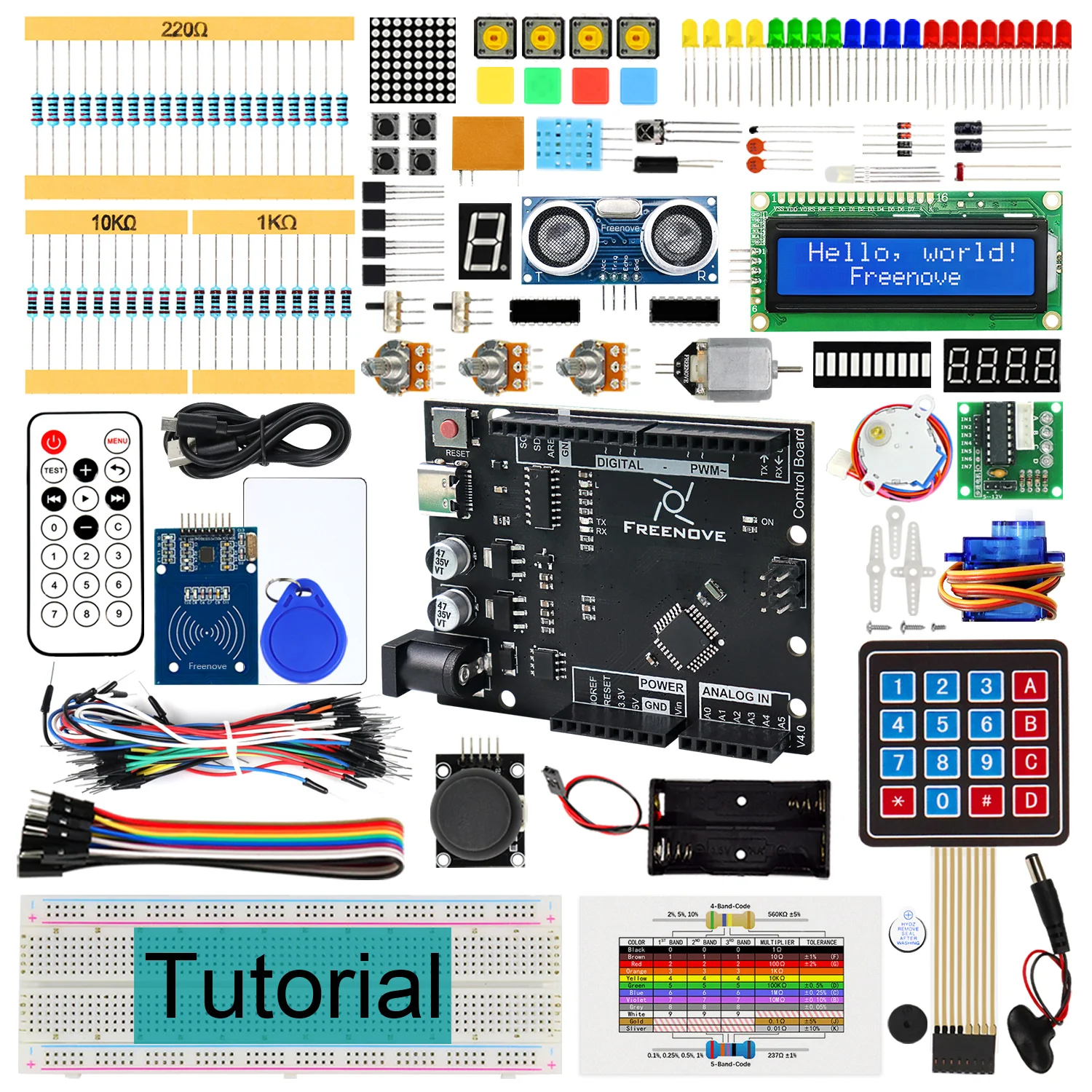
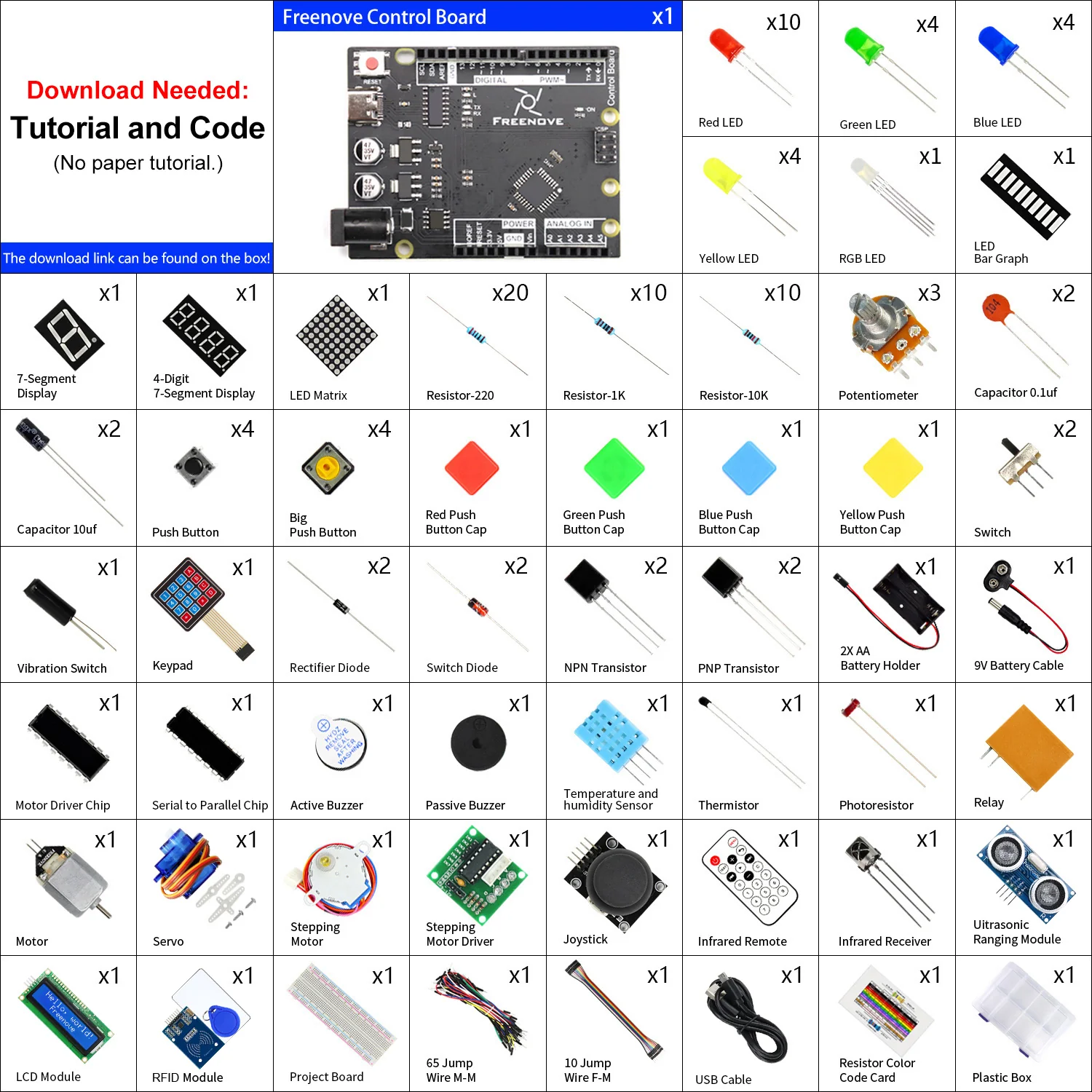
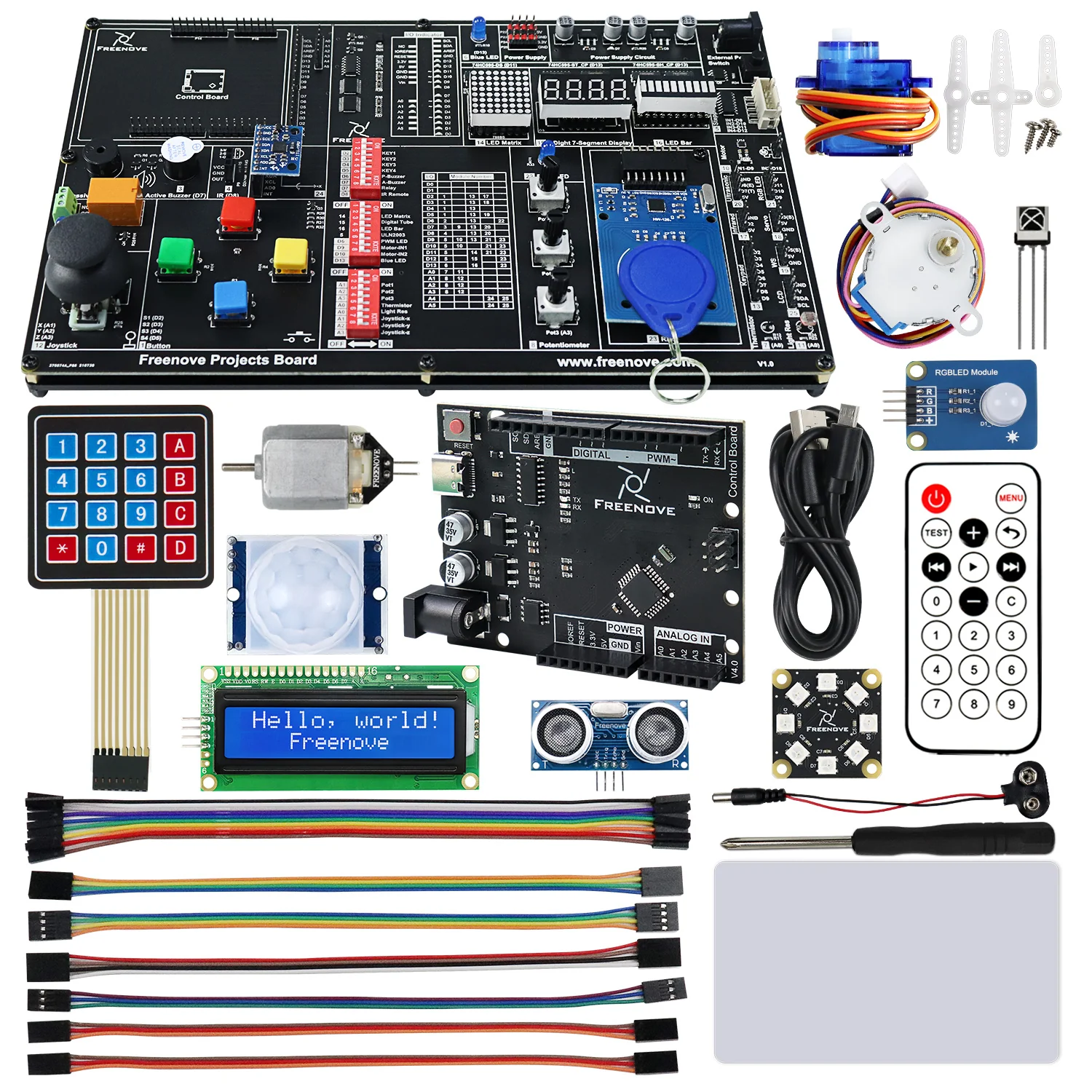
This kit with detailed tutorial allows you to easily complete dozens of circuits without complicated wiring.
Whether you are a beginner or have some experience, this is a very good choice.
We provide free technical support to help you with any questions and problems.
Main Features:
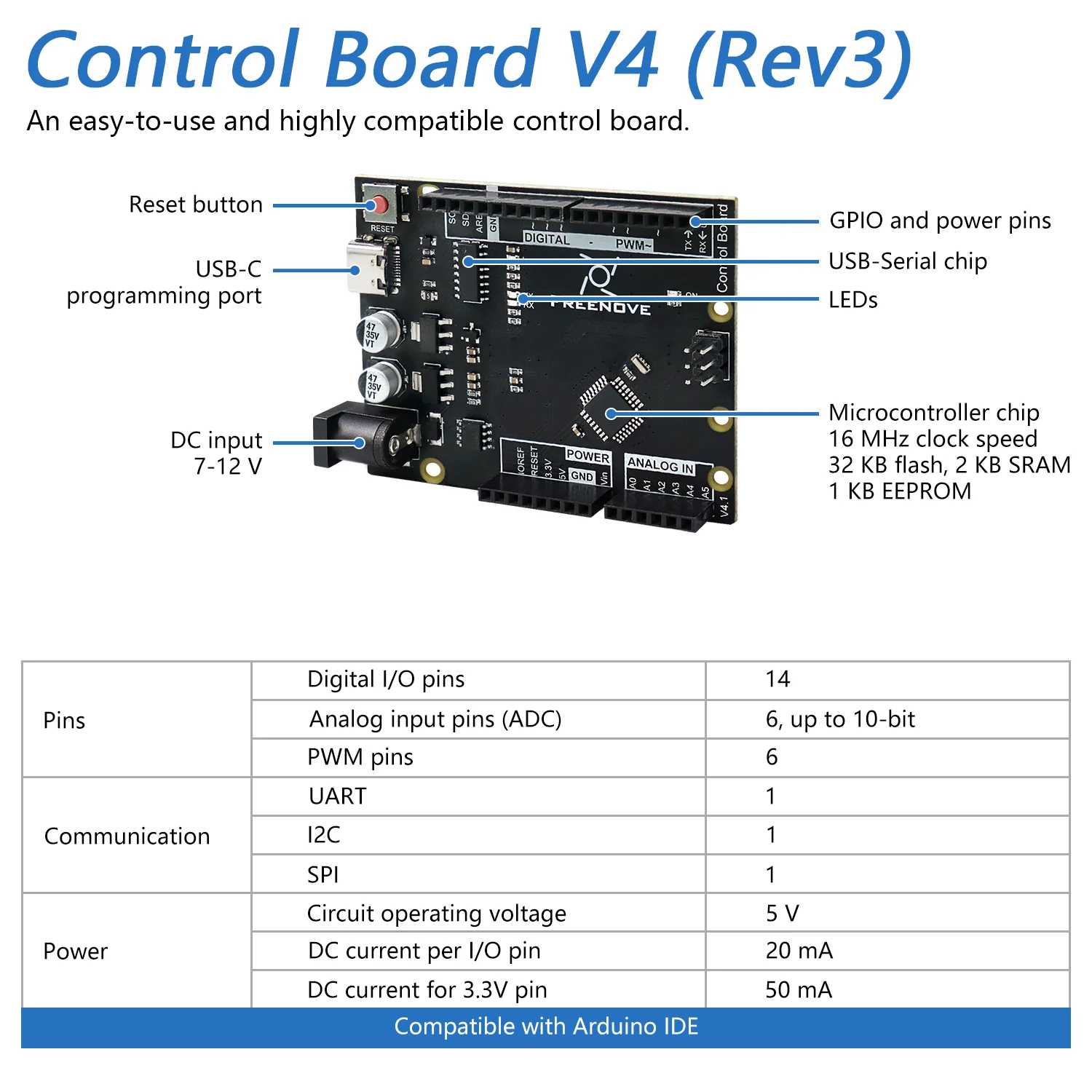
* Freenove Board V4
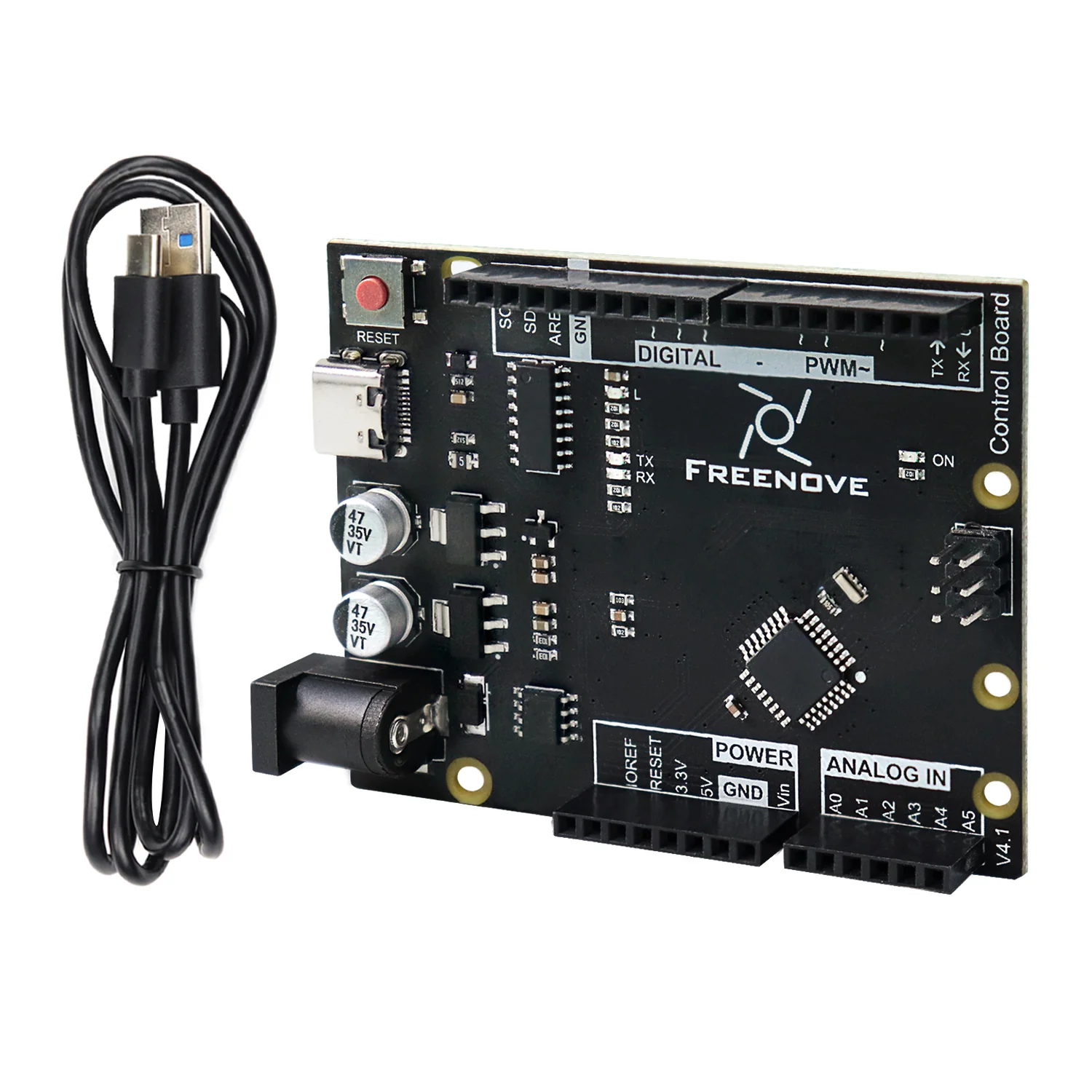
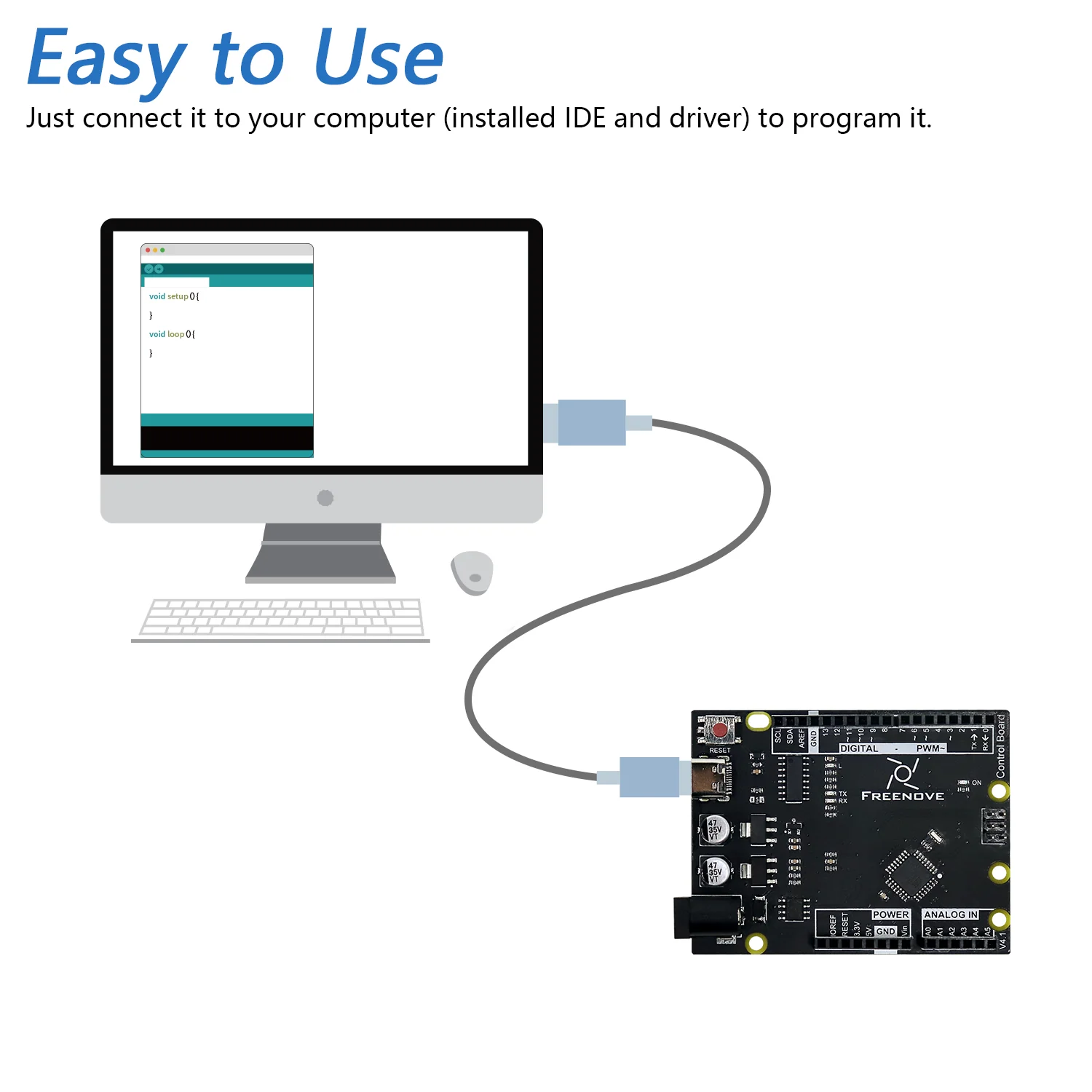
Fully compatible with the old blue Rev3 board, upgraded to USB-C connector and optimized the circuit and shape.
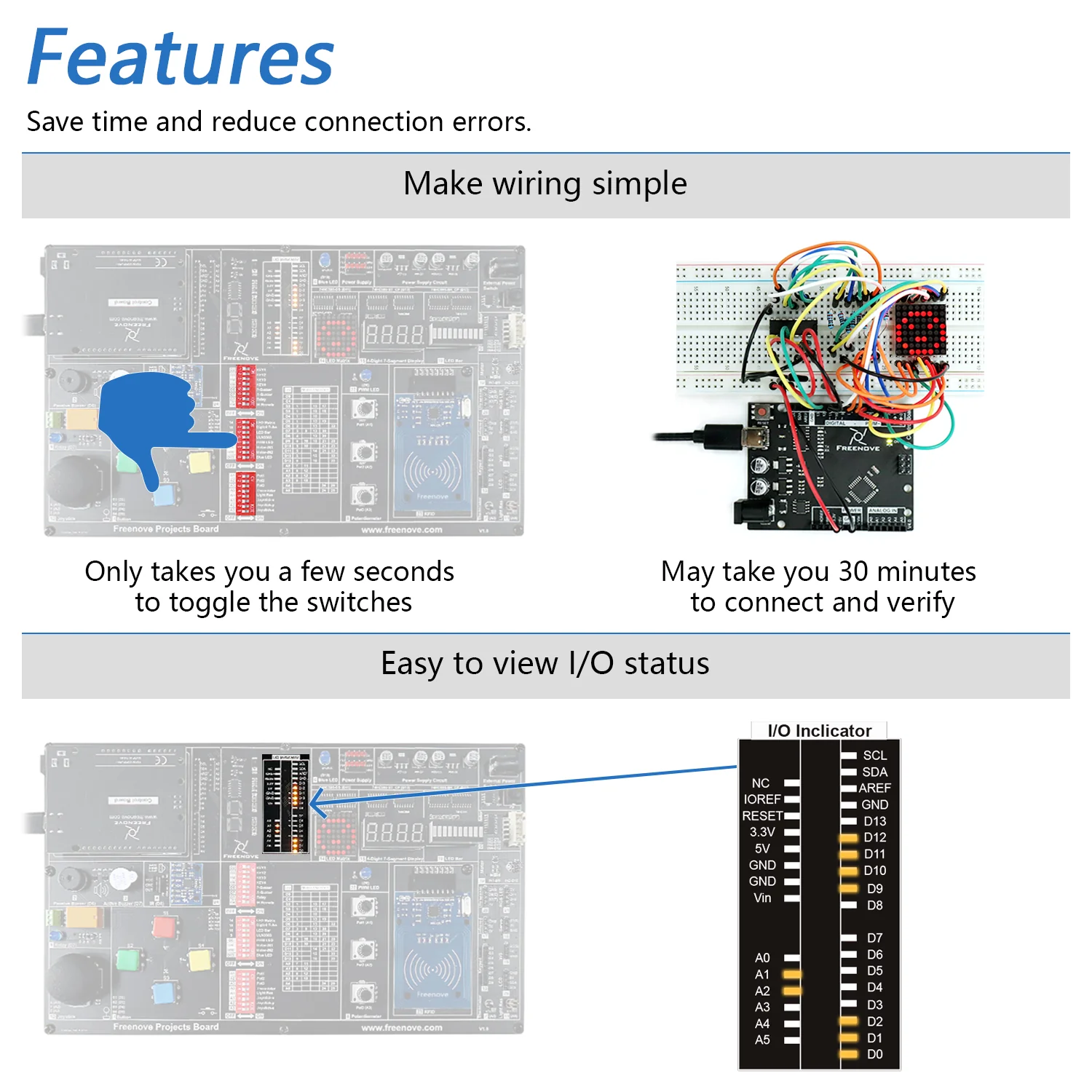
* Make wiring simple
Only takes a few seconds to toggle the switches to complete a circuit without complicated wiring.
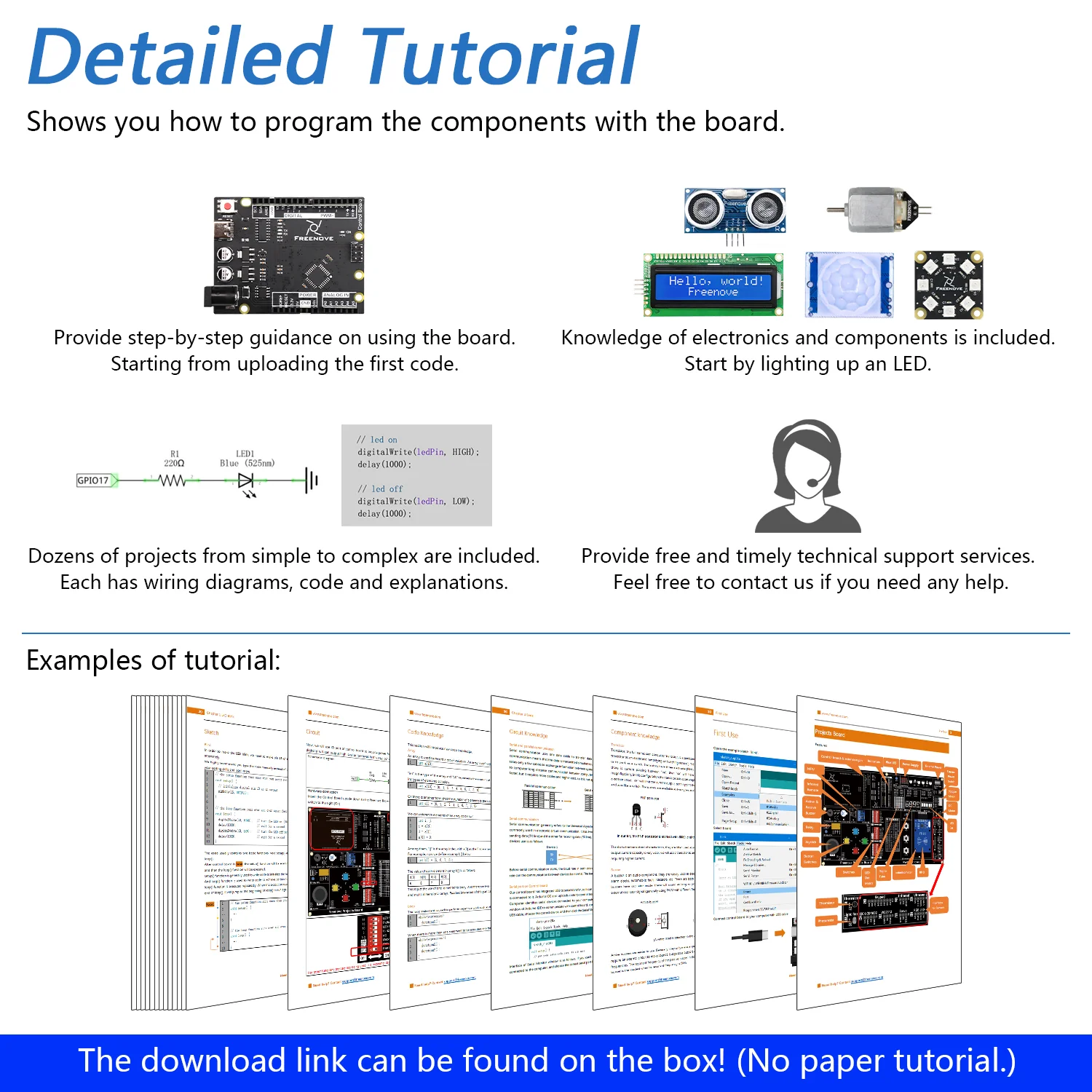
* 238-page detailed tutorial in total
Provides step-by-step guide with basic electronics and programming knowledge. (Download needed, no paper tutorial.)
You can download them before purchasing:
http://freenove.com/fnk0059
* 46 projects from simple to complex
Each project has schematics, wiring diagrams, complete code and detailed explanations.
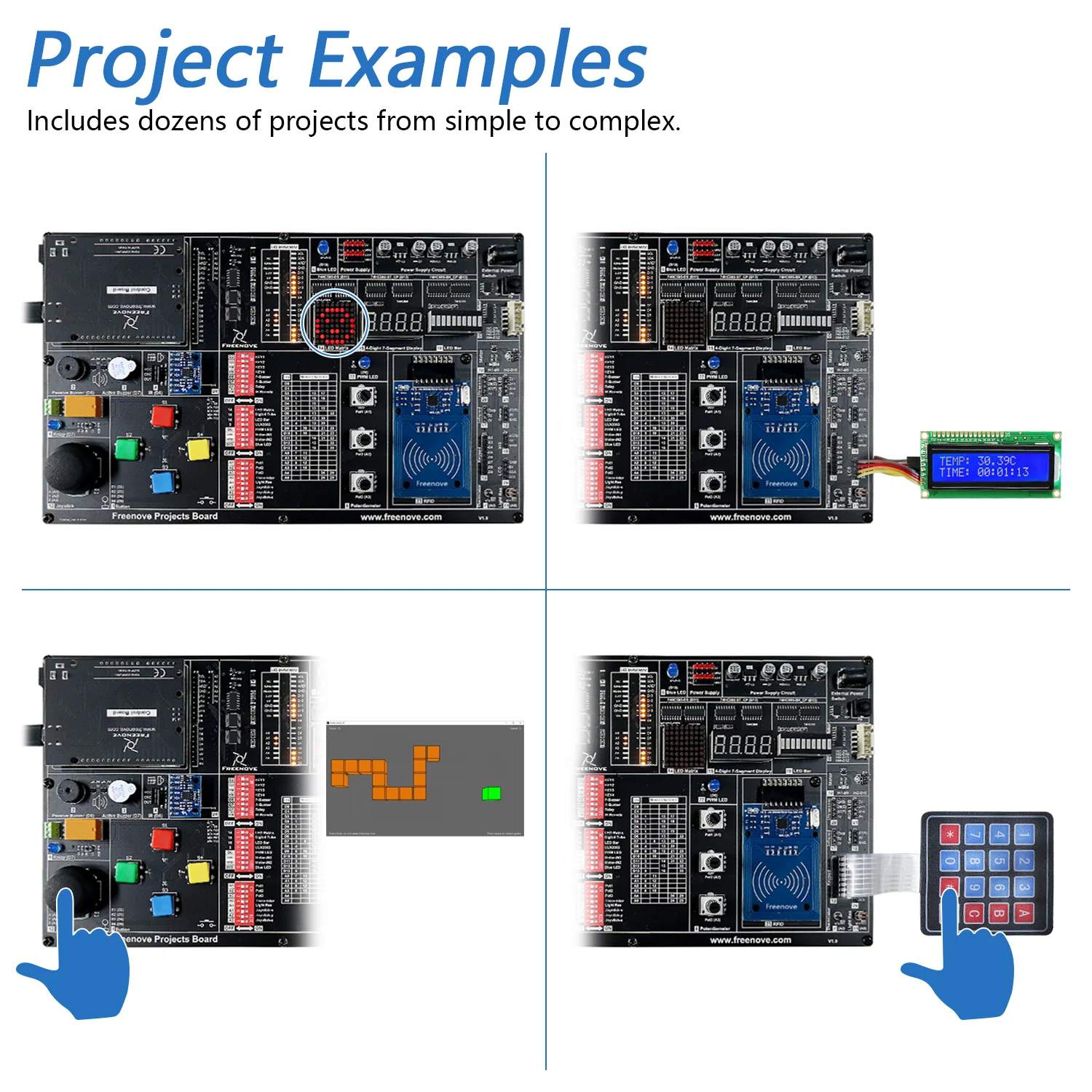
* Extra advanced projects
Make virtual instruments (voltmeter, oscilloscope) and game consoles.
Contents of Tutorial.pdf:
Preface
Projects Board
Programming Software
First Use
Chapter 1 LED Blink
Project 1.1 LED Blink
Chapter 2 Flowing LED
Project 2.1 Flowing LED Display
Chapter 3 Control LED
Project 3.1 Control LED with Button
Project 3.2 Change LED State by Button
...
(Refer to tutorial for details.)
...
Chapter 22 Motion Sensor
Project 22.1 Motion Sensor
Chapter 23 Ultrasonic Ranging
Project 23.1 Ultrasonic Ranging
Chapter 24 RFID
Project 24.1 Read UID
Project 24.2 Read and Write
What's Next?
Contents of Processing.pdf:
Preface
Processing Software
First Use
Chapter 1 Voltmeter
Project 1.1 Voltmeter
Project 1.2 Dual-Channel
Chapter 2 Oscilloscope
Project 2.1 Oscilloscope
...
Chapter 4 Snake Game
Project 4.1 Snake Game
Project 4.2 Snake Game 3D
Chapter 5 Pong Game
Project 5.1 Pong Game
Project 5.2 Pong Game 3D
What's Next?
Original: $46.99
-70%$46.99
$14.10Product Information
Product Information
Shipping & Returns
Shipping & Returns
Description
Purchase Options:
This kit has two purchase options.
One option includes the control board, the other option does not include it.
Compatible Boards:
If you choose the option without control board, you need to prepare one of following boards yourself:
* Arduino UNO R3 / R4 or similar boards
* Freenove Board V4 / V5
Overview:
This kit with detailed tutorial allows you to easily complete dozens of circuits without complicated wiring.
Whether you are a beginner or have some experience, this is a very good choice.
We provide free technical support to help you with any questions and problems.
Main Features:
* Freenove Board V4
Fully compatible with the old blue Rev3 board, upgraded to USB-C connector and optimized the circuit and shape.
* Make wiring simple
Only takes a few seconds to toggle the switches to complete a circuit without complicated wiring.
* 238-page detailed tutorial in total
Provides step-by-step guide with basic electronics and programming knowledge. (Download needed, no paper tutorial.)
You can download them before purchasing:
http://freenove.com/fnk0059
* 46 projects from simple to complex
Each project has schematics, wiring diagrams, complete code and detailed explanations.
* Extra advanced projects
Make virtual instruments (voltmeter, oscilloscope) and game consoles.
Contents of Tutorial.pdf:
Preface
Projects Board
Programming Software
First Use
Chapter 1 LED Blink
Project 1.1 LED Blink
Chapter 2 Flowing LED
Project 2.1 Flowing LED Display
Chapter 3 Control LED
Project 3.1 Control LED with Button
Project 3.2 Change LED State by Button
...
(Refer to tutorial for details.)
...
Chapter 22 Motion Sensor
Project 22.1 Motion Sensor
Chapter 23 Ultrasonic Ranging
Project 23.1 Ultrasonic Ranging
Chapter 24 RFID
Project 24.1 Read UID
Project 24.2 Read and Write
What's Next?
Contents of Processing.pdf:
Preface
Processing Software
First Use
Chapter 1 Voltmeter
Project 1.1 Voltmeter
Project 1.2 Dual-Channel
Chapter 2 Oscilloscope
Project 2.1 Oscilloscope
...
Chapter 4 Snake Game
Project 4.1 Snake Game
Project 4.2 Snake Game 3D
Chapter 5 Pong Game
Project 5.1 Pong Game
Project 5.2 Pong Game 3D
What's Next?